
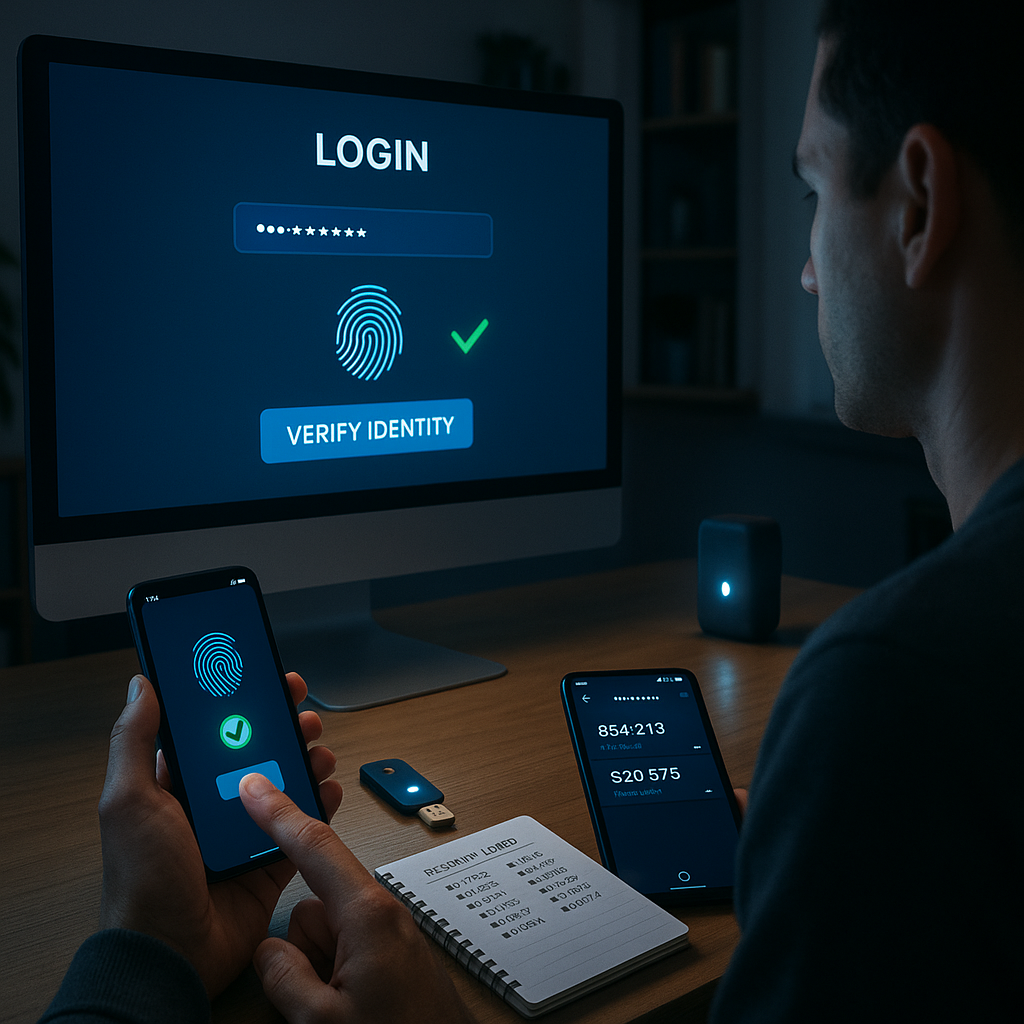

Key Takeaways
- Strengthen every login with layered protection. Multi-factor authentication (MFA) adds an extra verification step (such as a code from an authenticator app or a physical security key) to your password, so even if your password is leaked, your account remains secure.
- Don’t just enable it; prioritize where it matters most. Begin by activating MFA on your email, banking, and social media accounts. These high-value targets are often the first focus for attackers, so securing them should be your first priority.
- Opt for authenticator apps or security keys for maximum safety. Tools like authenticator apps and hardware security keys provide much stronger protection compared to SMS codes, which are susceptible to interception and SIM-swapping attacks.
- Set up backup and recovery options to avoid lockouts. Always save your backup codes or add secondary verification methods (such as another device or alternate phone number) so you can regain access to your accounts if your primary authentication device is lost.
- Implement MFA across all your devices and services, not just the big names. From streaming services and shopping sites to cloud storage, explore your account’s “Security” or “Login” settings and activate 2FA wherever available.
- Prepare for the unexpected by having a recovery plan. Keep your recovery information up to date and know how to contact support in case of lockouts. Many providers offer secure retrieval steps that you can initiate promptly.
- Stay secure by reviewing and updating regularly. Periodically assess your authentication settings, and adopt new, more secure methods as they become available.
Transforming multi-factor authentication from a confusing tech term into your personal security shield is easier than it sounds. Read on for straightforward setup instructions, platform-specific guides, and industry insights that empower you to take charge of your online protection with confidence.
Introduction
A leaked password doesn’t have to be an invitation for hackers. With multi-factor authentication (MFA) in place, a compromised password becomes only one part of a much stronger gatekeeping system. MFA adds essential guardrails to your accounts, transforming a single point of failure into a resilient, multi-layered defense against unauthorized access.
Implementing MFA might seem complicated at first, but with a practical approach, you can boost your protection across email, banking, social media, shopping accounts, and beyond. This guide will walk you through essential steps to get started with MFA, explain how to choose the best verification methods, and provide tips for building a robust security plan. The goal: clear, practical advice. No jargon, just real tools for safer logins in every aspect of your digital life.
Understanding MFA Basics and Benefits
MFA is a foundational cybersecurity tool that requires users to prove their identity through at least two independent factors before granting access to an account. Rather than relying on passwords alone (which can be guessed, stolen, or leaked), MFA combines:
Un passo avanti. Sempre.
Unisciti al nostro canale Telegram per ricevere
aggiornamenti mirati, notizie selezionate e contenuti che fanno davvero la differenza.
Zero distrazioni, solo ciò che conta.
 Entra nel Canale
- Something you know (like a password or PIN)
- Something you have (such as a phone, security key, or device)
- Something you are (biometric identifiers like fingerprints, facial recognition, or voice patterns)
The significance of MFA becomes clear when you consider its proven impact:
- Prevents up to 99.9% of automated cyberattacks, per Microsoft’s security research
- Shields against credential stuffing, where criminals use stolen username/password pairs
- Protects you from phishing attacks, since attackers can’t log in without the second verification step
- Keeps accounts secure even when passwords are exposed in public data breaches
Consider the financial sector. One major bank reported a 90% drop in fraud-related account takeovers within a year of rolling out MFA. Similar protective results are echoed in healthcare, where unauthorized access to patient data plummeted after requiring MFA, and in educational institutions who report fewer compromised faculty and student accounts. The consistent trend across industries makes it clear: MFA is not optional; it is an essential safeguard for everyone.
Types of MFA Authentication Methods
Understanding the strengths and weaknesses of various MFA methods will help you make the best choices for your accounts and lifestyle. Here’s how the main methods compare:
SMS and Email Codes
- Easy and widely supported, making them accessible for most users
- Vulnerable to SIM swapping and interception, so they are best used as backup methods rather than primary security layers
- Common in banking, e-commerce, and many consumer-facing services
Authenticator Apps
- Generate time-based, one-time passcodes (TOTP) on your mobile device or desktop
- Work even without an internet connection, and are resistant to phishing or interception attacks
- Leading options include Google Authenticator, Authy, and Microsoft Authenticator
- Used increasingly in sensitive contexts like healthcare portals and corporate access points
Hardware Security Keys
- Offer the highest level of consumer-grade protection
- Physical devices (often USB, NFC, or Bluetooth-enabled) that you insert or tap to prove your identity
- Adoption by organizations like Google has resulted in zero successful phishing-related breaches
- Particularly favored in sectors requiring top security, such as finance, legal, or IT administration
Biometric Authentication
- Includes fingerprint scanning, facial recognition, and iris/voice identification
- Fast and convenient, now present in around 75% of modern smartphones
- Particularly useful for securing mobile devices and quick access apps
- Most effective when combined with a secondary factor (such as a PIN or security key)
Where to Prioritize MFA Implementation
Effective protection starts by securing your most critical and sensitive accounts. Prioritize MFA based on these categories:
- Email Accounts
- Email is the backbone for password resets and account recovery; compromise here can grant access to all connected services.
- Both personal (Gmail, Outlook, Yahoo) and work emails should be locked down with MFA.
- Financial Services
- Banks, credit unions, investment vehicles, and payment wallets (e.g., PayPal, Venmo) are prime targets for cybercriminals.
- Crypto wallets and online trading accounts should always have robust MFA enabled.
- Cloud Storage
- Platforms like Google Drive, Dropbox, OneDrive, and iCloud store sensitive documents, photos, and backups.
- Unauthorized access can result in major data loss or privacy breaches.
- Social Media
- Personal profiles (Facebook, Instagram, Twitter) and professional accounts (LinkedIn) can be misused for scams or to impersonate you.
- Many platforms also handle payment or business data, raising the stakes for secure access.
- Other High-Value Accounts
- E-commerce accounts (Amazon, eBay)
- Education portals (university logins, school platforms)
- Healthcare apps and patient portals
By starting with these categories, you cover the gateways that attackers are most likely to exploit.
Setting Up MFA on Major Platforms
Enabling MFA on popular platforms is typically quick and user-friendly. Here’s a brief overview of the process for some of the most widely used services:
Gmail/Google Account
- Open your Google Account settings and navigate to the Security section.
- Click on “2-Step Verification” and follow the prompts.
- Choose the most secure available method:
- Authenticator app: Highly recommended for most users.
- Security key: Best for advanced/professional protection.
- SMS codes: Acceptable as a backup, but less secure.
- Go to Settings & Privacy, then Settings.
- Click on Security and Login.
- Locate and enable “Use two-factor authentication”.
- Choose your preferred method:
- Authentication app (more secure)
- Text message (quick, but less secure)
- Security key (best for high-risk accounts)
Apple ID
- On your device, open Settings > [Your Name] > Password & Security.
- Tap “Turn On Two-Factor Authentication”.
- Add one or more trusted phone numbers.
- Confirm setup via a six-digit verification code.
Banking Apps
Most banks either offer their own dedicated authenticator apps or integrate smoothly with industry-standard ones. Visit your bank’s online Security, Account Protection, or Login settings and follow the instructions to activate MFA. Always opt for app-based or hardware-based methods when possible for stronger protection.
Additional Platforms
For other contexts (including streaming services like Netflix or Spotify, cloud storage, professional tools such as Microsoft 365, Slack, Salesforce, or even smart home systems), seek out “Security” or “Account Settings” menus. Look for options labeled “Two-Factor Authentication,” “2FA,” or “Multi-Factor Authentication,” and enable the most secure method your account allows.
Backup and Recovery Procedures
A robust MFA plan includes strong backup and recovery protocols to ensure you aren’t locked out if you lose your main authentication device. Here’s how to prepare:
Essential Backup Methods
- Save Recovery Codes
- Store codes provided during MFA setup in a secure location (such as an encrypted password manager or a printed copy in a safe place).
- Avoid keeping unprotected screenshots on your devices.
- Set Up Multiple Authentication Methods
- Enable both app-based and SMS methods where possible.
- Register alternative phone numbers (a trusted family member, backup device, or work number).
- For hardware keys, consider registering more than one in case one is lost or damaged.
- Document Recovery Procedures
- Bookmark or save support and recovery links for all critical services.
- Prepare identification documents if providers require them for account recovery.
- Keep a list of emergency contacts or support numbers for quick access.
Recovery Planning
- Create a dedicated, secure recovery email account that is itself protected with MFA.
- Periodically check that you have access to all backup methods and recovery codes.
- Simulate a recovery scenario every few months to ensure you know the process and that it still works.
Best Practices for Ongoing Security
Maintaining strong MFA habits is just as important as the initial setup. Incorporate these daily and periodic checks to keep your protection up to date:
Daily Usage Tips
- Resist skipping MFA prompts, even on familiar devices.
- Keep your authenticator apps updated to the latest secure versions.
- Regularly check “active sessions” or “logged-in devices” in your account settings.
- Scan for unusual login activity in your account audit logs.
Security Maintenance
- Periodic Security Audits
- Review and update enabled MFA methods.
- Ensure all recovery and contact information is current.
- Confirm backup codes are still accessible and valid.
- Device Management
- Remove outdated or unused devices from your trusted device list.
- Update or rotate trusted phone numbers if your contact details change.
- Refresh hardware security keys annually for best performance.
- Authenticator App Hygiene
- Backup the seed for authenticator apps where supported (such as with Authy).
- If available, securely sync your authenticator data across your approved devices.
- Delete connections for accounts you no longer use.
Conclusion
Multi-factor authentication isn’t merely a best practice. It’s a critical, proactive step in locking down your presence in the digital world. By thoughtfully layering multiple verification methods, you don’t just defend yourself against password leaks and phishing attempts; you lay down strong barriers that keep your finances, files, and communications safe.
As cyber threats evolve and online services expand across industries (from healthcare and education to finance and entertainment), the need for resilient account security has never been more vital. MFA adoption is rising, but staying ahead requires continuous vigilance: updating your methods as technology advances, expanding protection across new services, and routinely refreshing your backup and recovery strategies.
Looking forward, the organizations and individuals who embrace adaptable, data-driven security strategies will thrive in a rapidly changing digital landscape. Success in the future hinges on not just adopting multi-factor authentication, but mastering its ongoing management to anticipate new threats and seize the opportunities of secure digital living. The path to empowered, confident use of technology starts with smarter, safer logins. Make MFA your first and strongest line of defense.
Un passo avanti. Sempre.
Unisciti al nostro canale Telegram per ricevere
aggiornamenti mirati, notizie selezionate e contenuti che fanno davvero la differenza.
Zero distrazioni, solo ciò che conta.
Entra nel Canale




Leave a Reply